Movement, in detail.
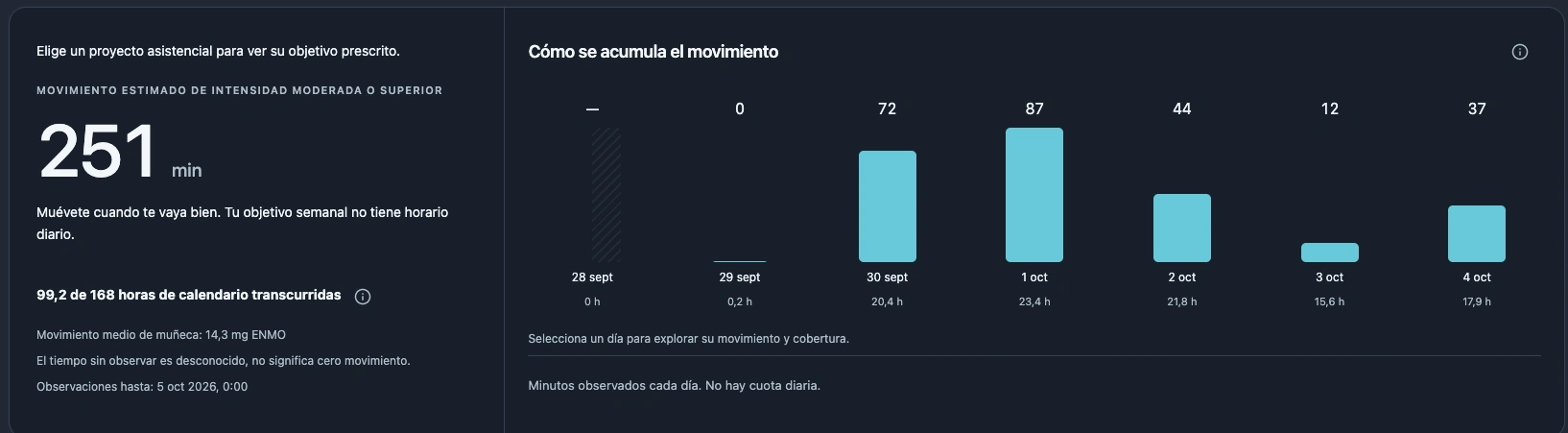
See how much, when and at what estimated intensity you move. A Garmin watch records wrist movement; SciencePeaks turns it into an activity timeline you can review together.
Explore physical activityOncology care + professional sport
Data science. Machine learning. AI. SciencePeaks turns wearable activity, overnight heart patterns and symptoms into a connected view of fatigue and recovery. Built for patients, athletes and the professionals who follow them.
Web iOS Android
 Garmin Health SDKApproved access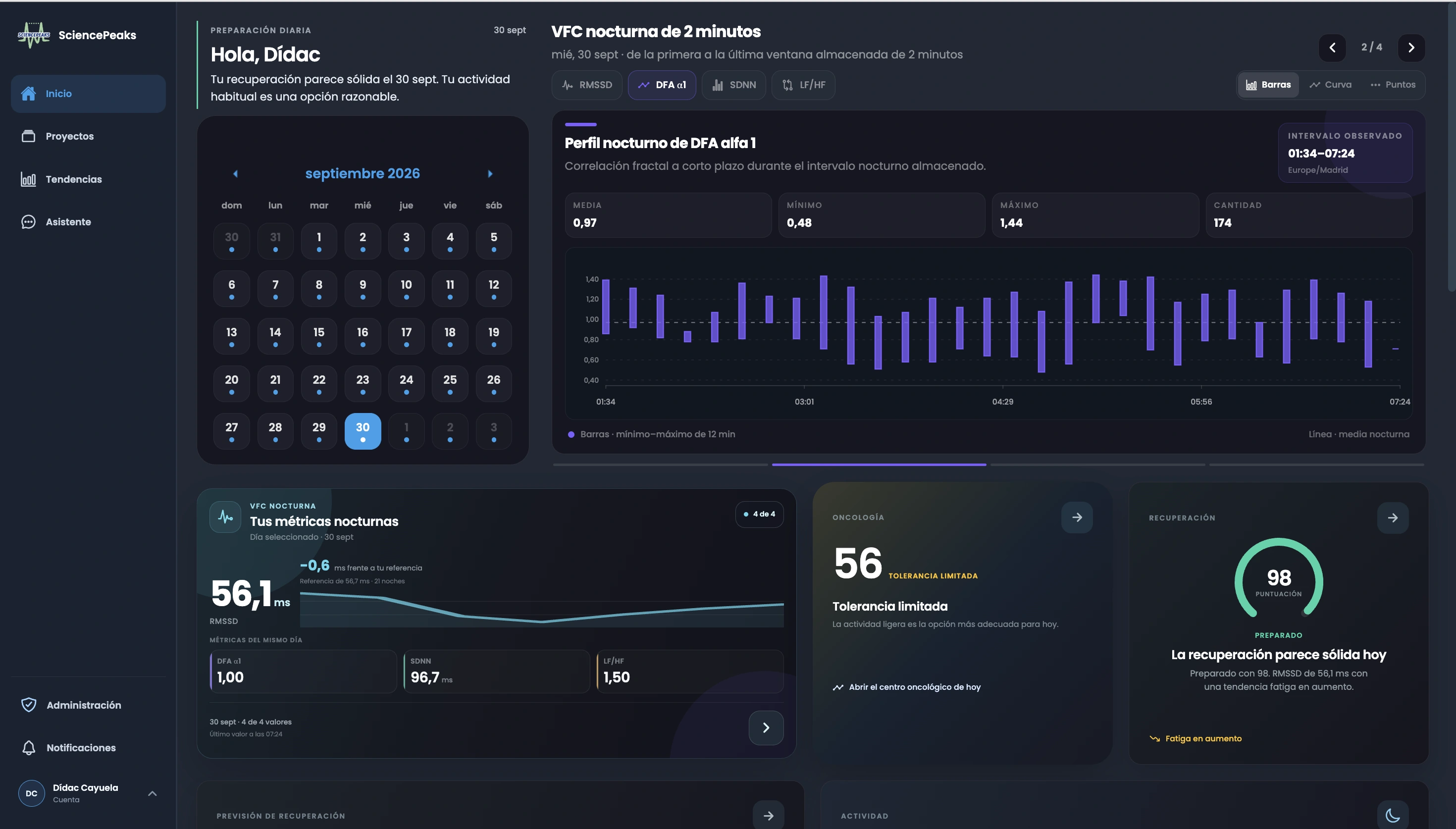
Real home dashboard · calendar, overnight physiology and daily summaries.
Born at ISGlobal. Part of a wider scientific ecosystem.
Our scientific roots





Garmin wearable integration · ISGlobal institutional network and recognitions.
More than a daily number
Data becomes more useful when it reflects the week behind it. SciencePeaks connects what the wearable observes, how you feel and what happened in a record your professional can review.
See how much, when and at what estimated intensity you move. A Garmin watch records wrist movement; SciencePeaks turns it into an activity timeline you can review together.
Explore physical activity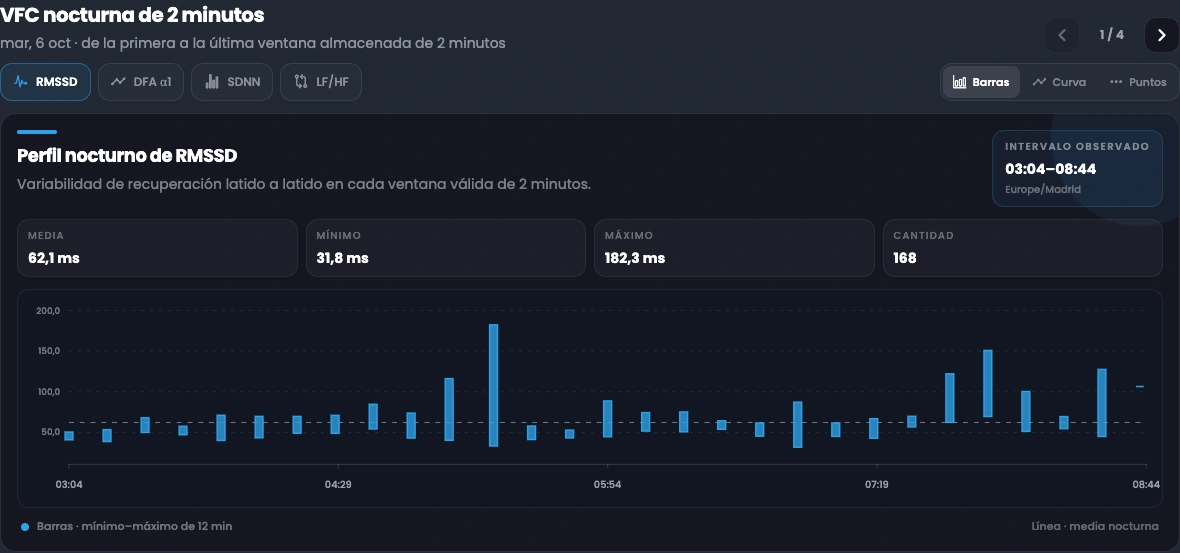
Explore how heart rate variability (HRV) changes through the night. See the pattern behind the summary, compare it with your own history, and review it alongside symptoms, treatment or training.
See the connected workflowOur Garmin collaboration
Compatible wearables provide activity and available overnight heart data. SciencePeaks connects these records with symptoms and personal context for professional follow-up.
Approved Health SDK access
iOS and Android apps reviewed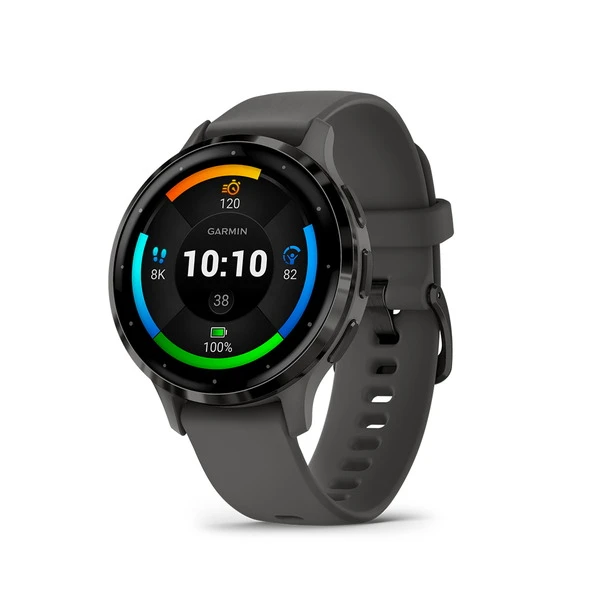
 Professional review
The watch records wrist movement. SciencePeaks estimates activity intensity and volume, shows recording coverage and connects the week with symptoms and your plan.
Professional reviewAvailable overnight heartbeat intervals support HRV analysis. SciencePeaks reveals the pattern behind a nightly summary, ready to review with personal history and how you feel.
Actual SciencePeaks screens. App preview uses sample data.
The SciencePeaks engine
Wearable records become personal trends, modelled outlooks and explanations that a clinician or coach can review. Here is how the pieces connect.
Garmin records activity and overnight physiology. Usable observations become a record across days.
Align daily measures and derive features. Compare recent changes with the person’s own physiological history.
Machine learning estimates a specific HRV event. Distributed lag nonlinear models (DLNM) separately explore training load, delay and later RMSSD.
The assistant explains available metrics with supporting data. A clinician or coach reviews the wider record with the person.
Histogram gradient boosting
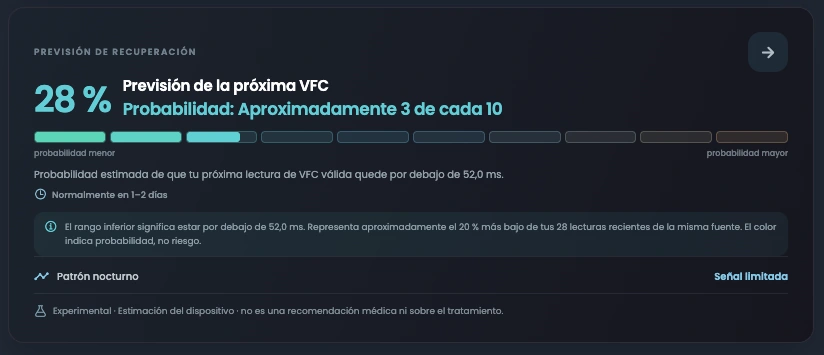
A histogram gradient-boosted model combines recent HRV, sleep, resting heart rate, steps and training-load features with the person’s own history. It estimates whether the next usable HRV reading falls in a personal lower range.
The probability concerns an HRV reading. It is not a fatigue percentage or a diagnosis.
From life during treatment to a demanding training block, fatigue has a context. The platform brings it into focus for the person and the professional supporting them.
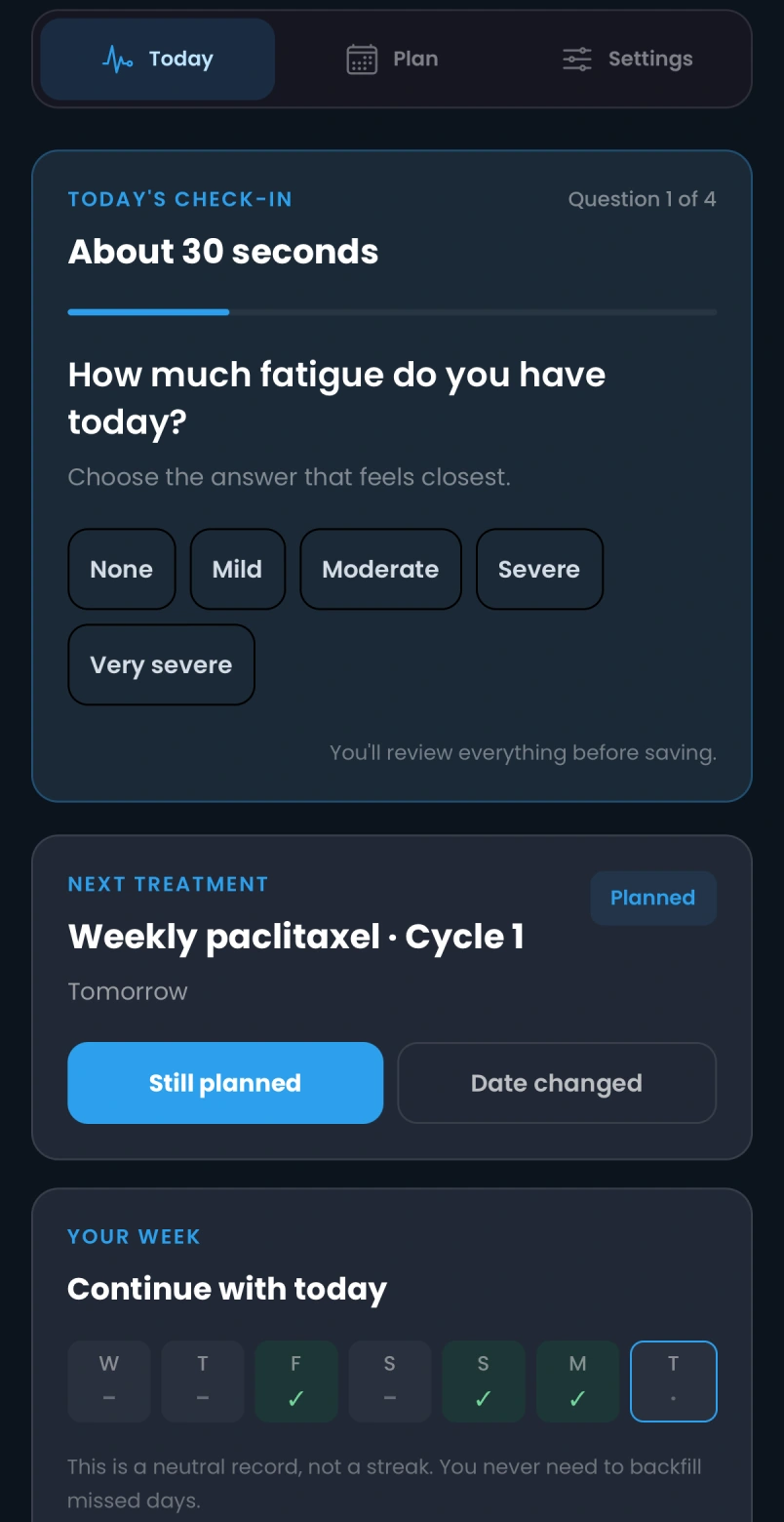
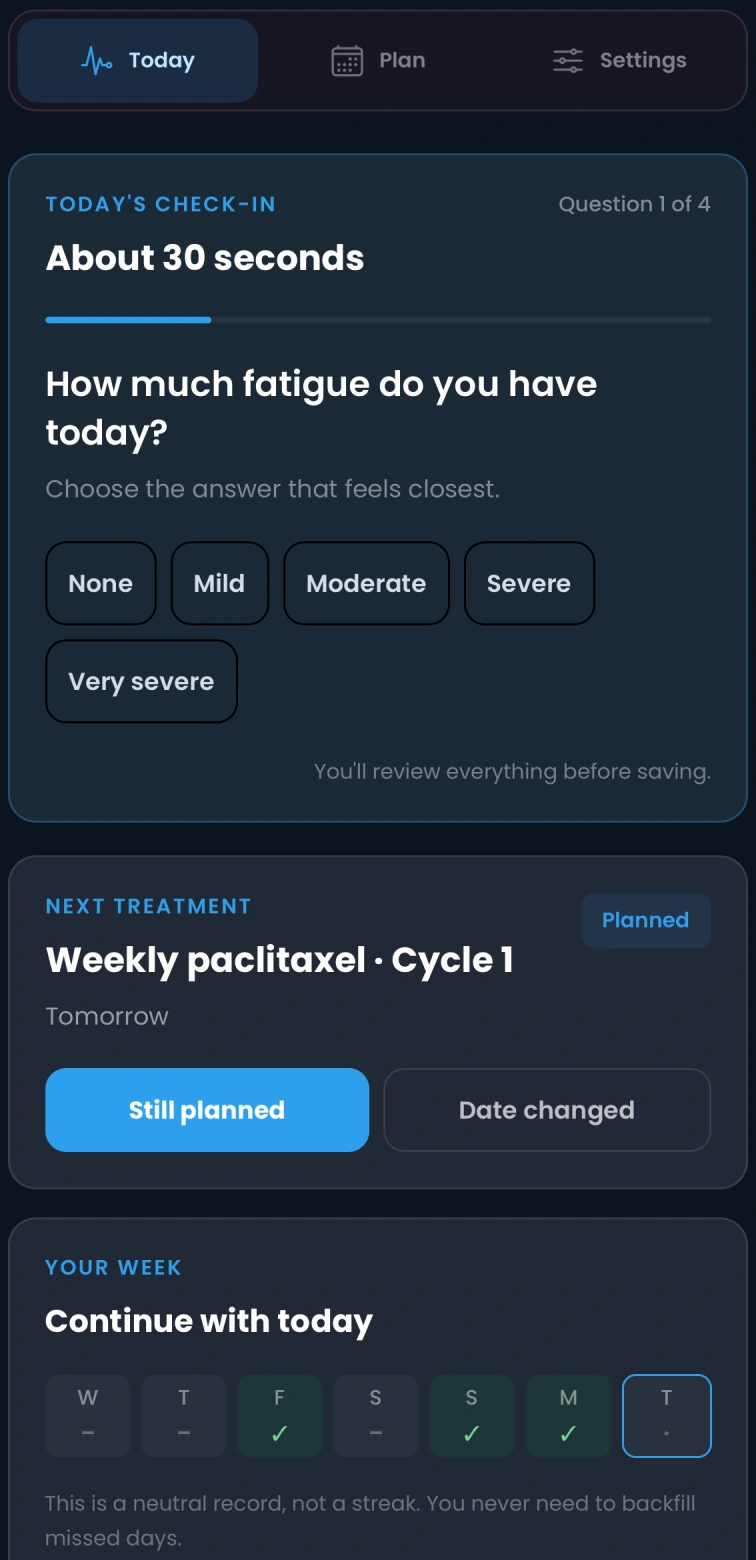
A patient records fatigue, pain, nausea and sleep quality in a short check-in. Their professional reviews symptoms, activity and overnight trends around treatment dates to discuss whether the movement plan still fits how they feel.
Review training load, nightly HRV and perceived fatigue against the athlete’s own history. Explore how alternative training weeks relate to their modelled physiological response.
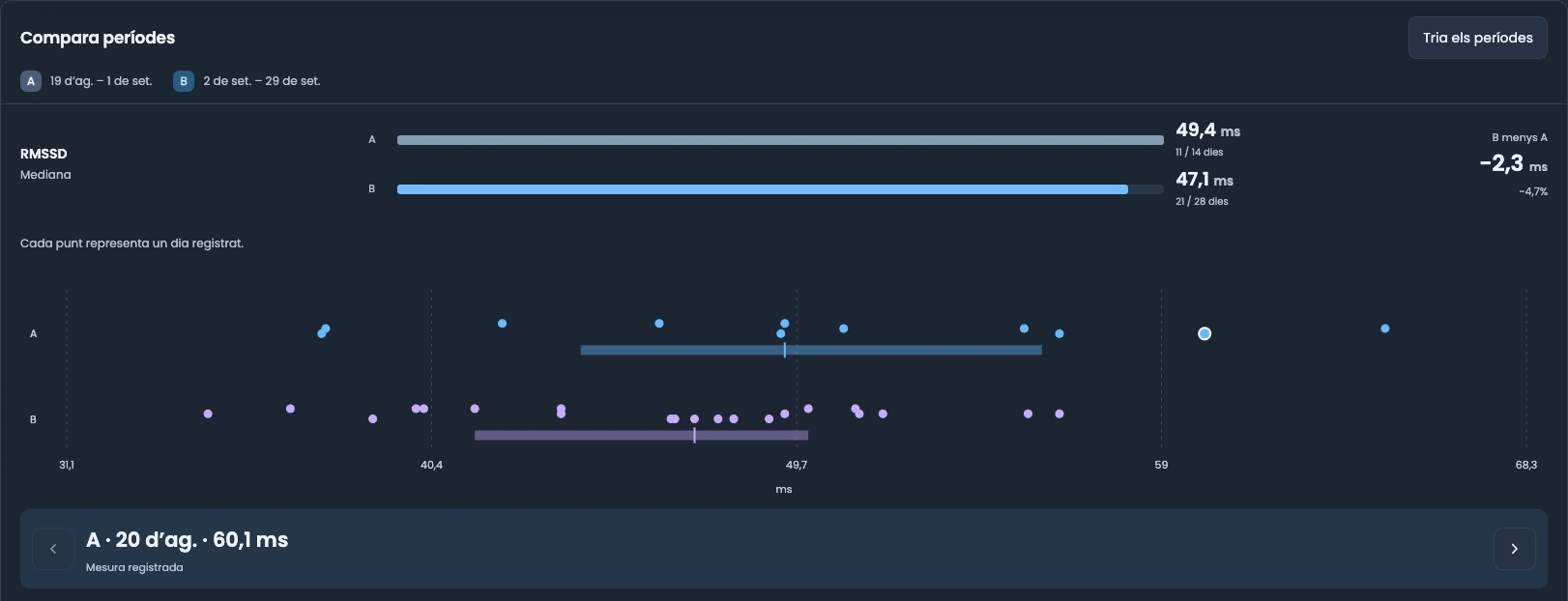
One platform. Every screen.
Check your metrics. Say how you feel. See what changed. The mobile app keeps daily participation simple; the web workspace connects that record to professional follow-up.
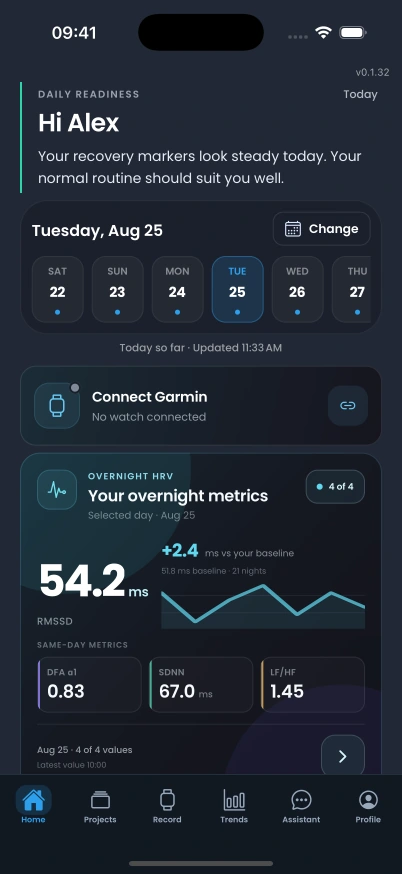
Open your day with overnight HRV, related metrics and a trend compared with your personal history. This is the actual iOS home screen.
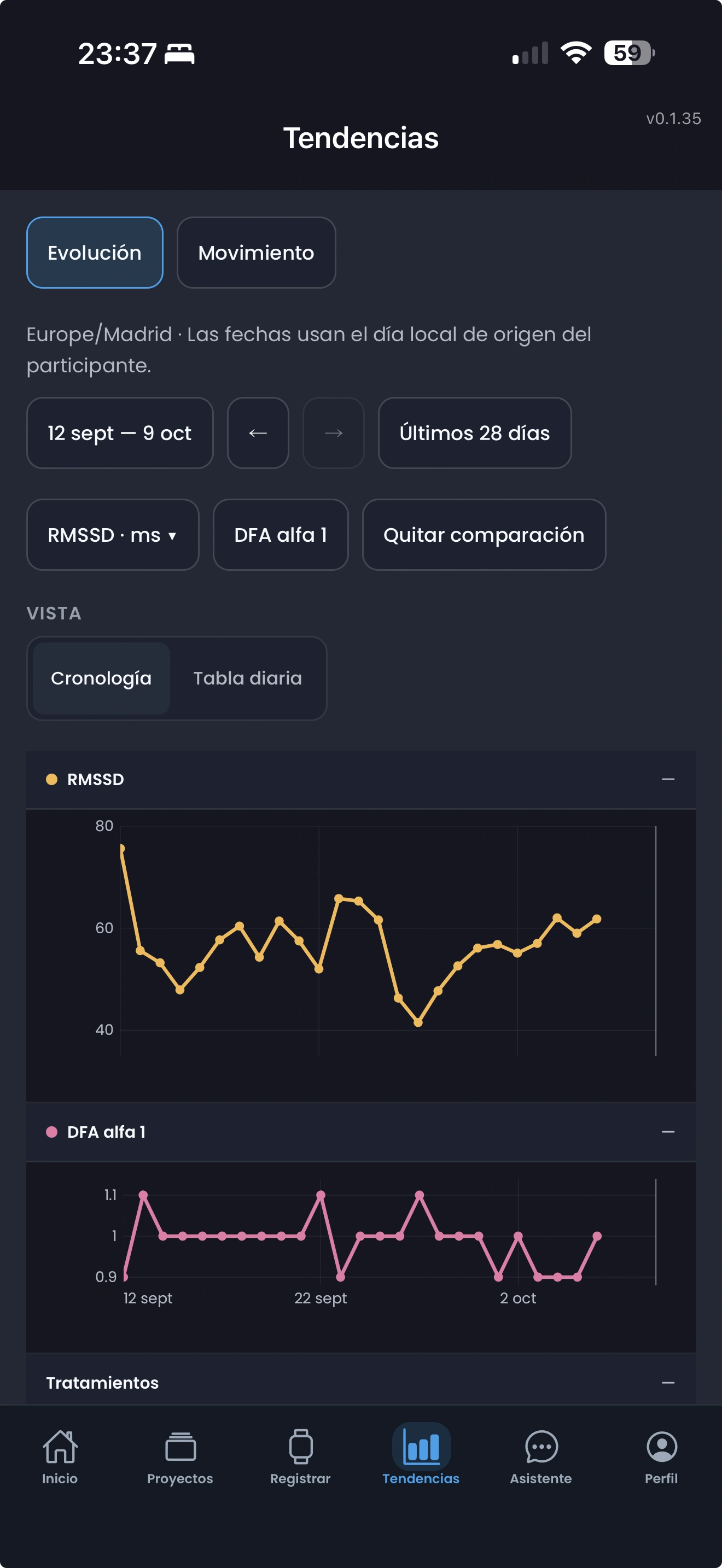
Explore RMSSD and DFA alpha 1 across a selected date range, with both trends aligned in one view.
Give the data your perspective with a check-in designed to take around 30 seconds. Answer a symptom question, confirm treatment context and review your week.
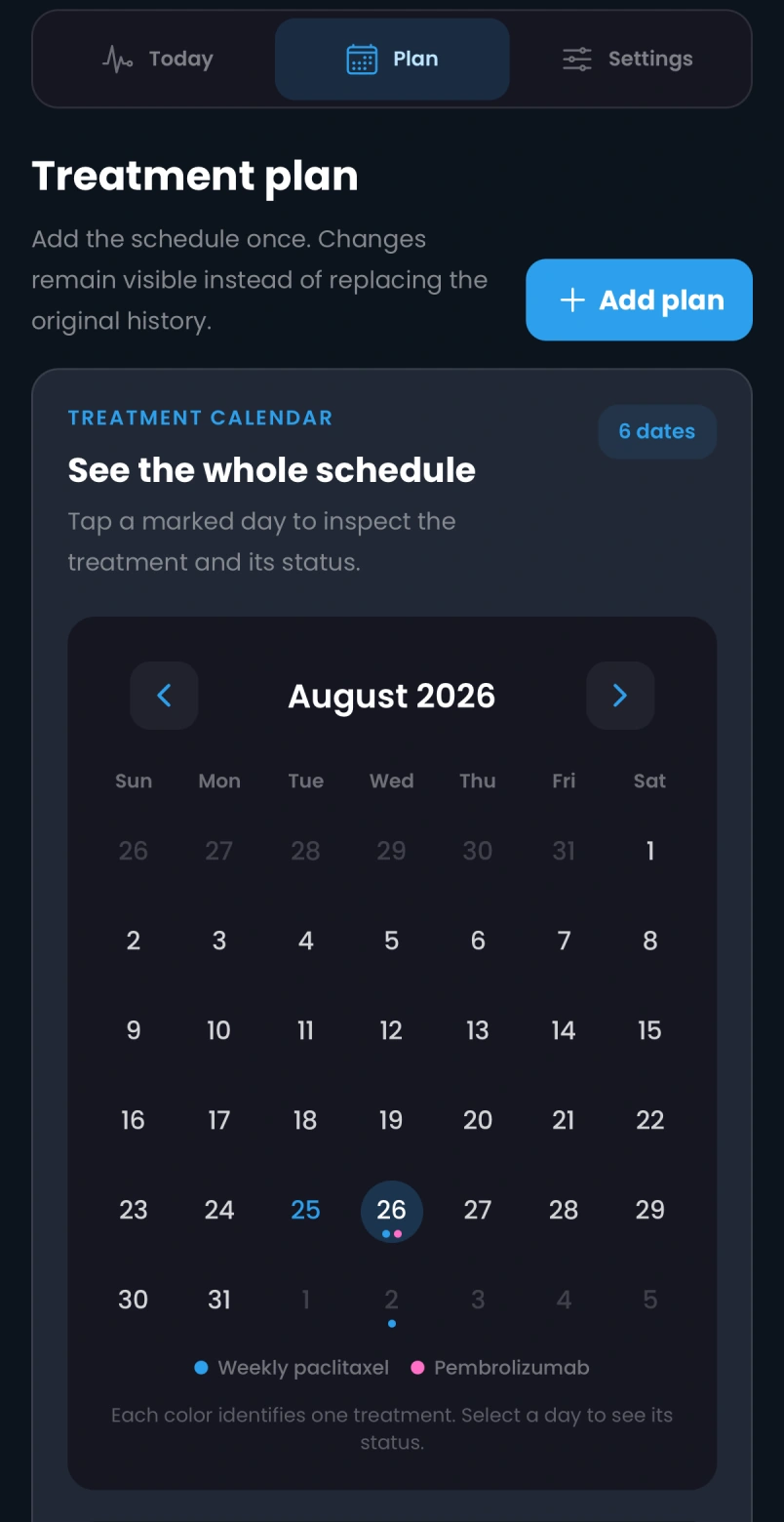
Keep treatment dates in one place and inspect the planned schedule. That context sits alongside activity, symptoms and physiology in professional review.
Actual mobile app screens. Home and oncology views use demonstration data.
Explore access for your programmeTrends brings physiology, personal references and daily context into one timeline. Follow changes over weeks and months, then open the day behind the pattern.
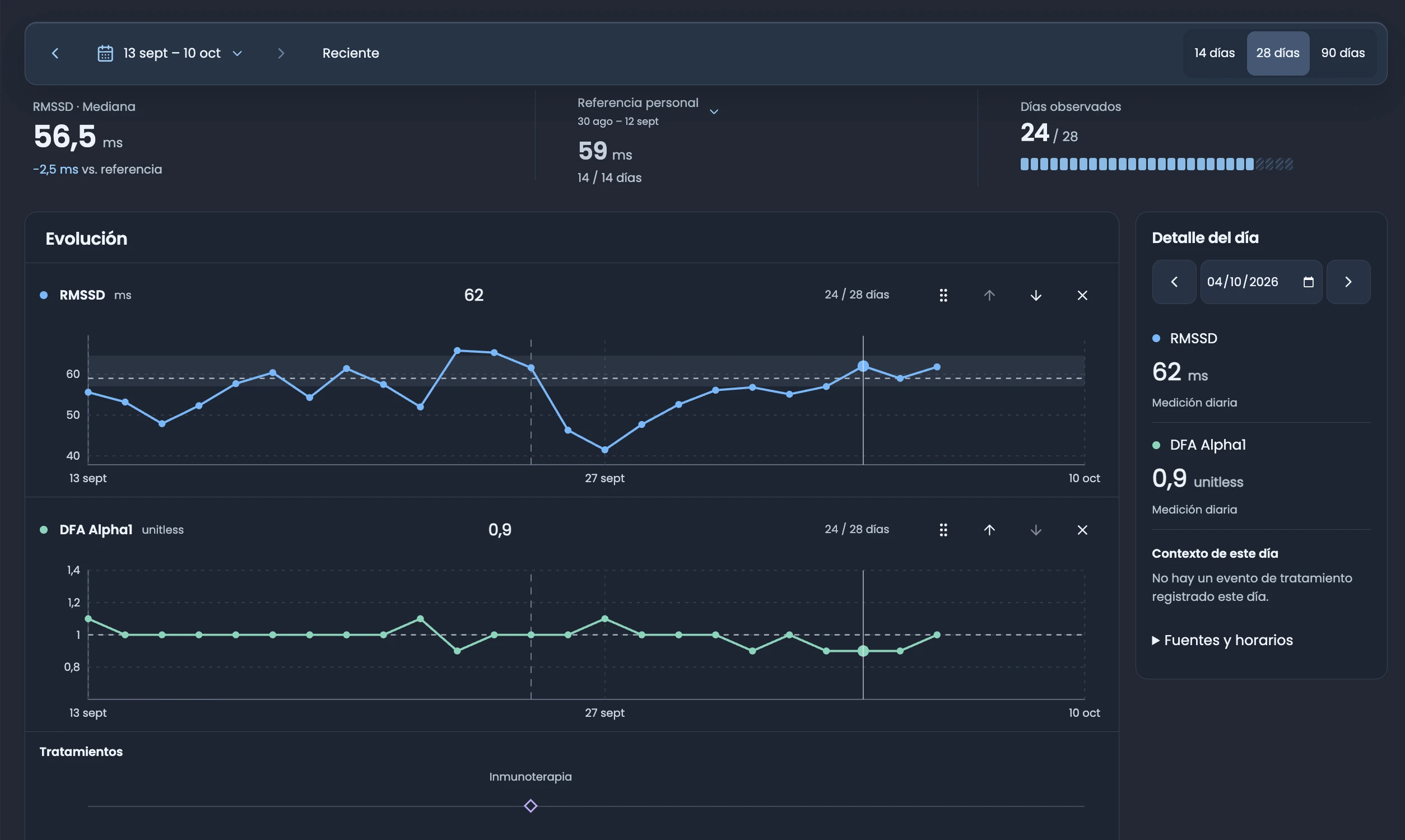
Explore 14, 28 or 90 days. See how RMSSD and other available metrics evolve, with observed days and gaps visible.
A personal reference puts the selected period in perspective. Review a change against that person’s usual pattern.
Inspect daily measurements and recorded treatment context. Bring symptoms and activity into the professional review.
RMSSD describes heart rate variability in milliseconds. Symptoms describe how the person feels; missing observations remain gaps.
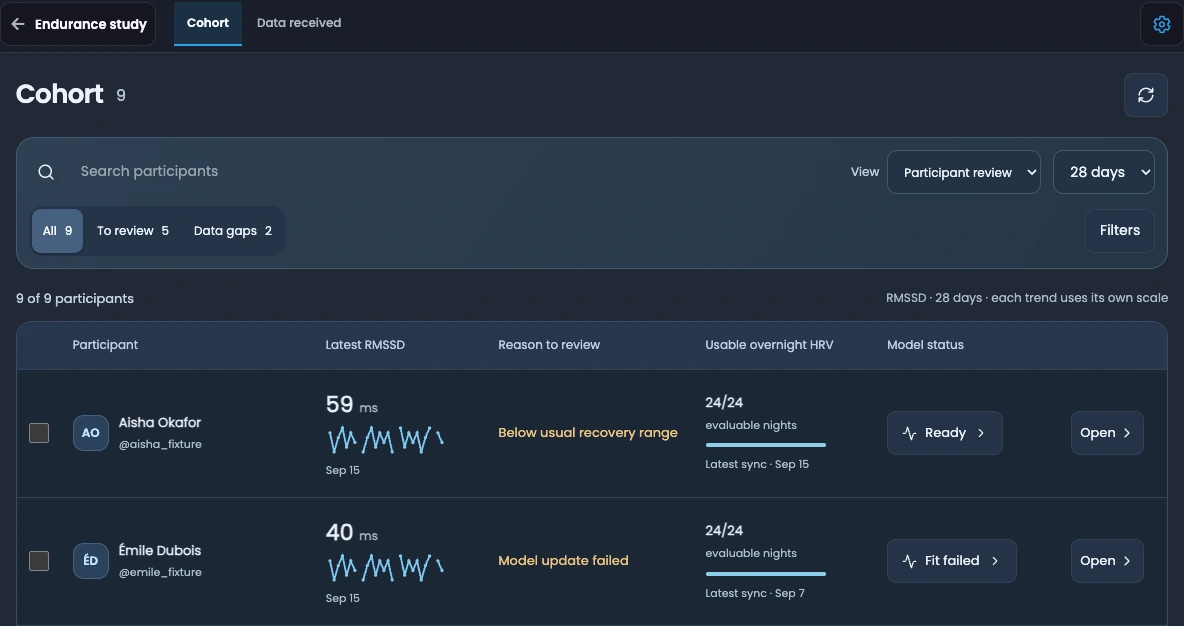
Bring Trends into a projectA project is a shared workspace for a clinician or coach to follow a group of patients or athletes. Review the cohort, open individual histories, compare participants and explore models, with fatigue and health context in view.
Connected participants
Patients or athletesReview the cohort's progress, physiological trends and reported fatigue together. Check which records are available and where a closer individual review is needed.
Activity, symptoms and data coverage stay connected to the people behind them.
Follow a participant's activity, Trends, symptom check-ins and health context over time. Compare with their personal history and review progress against the professional plan.
Reported fatigue adds the person's experience to the wearable record.
Review selected participants side by side. Compare activity and physiological patterns while keeping personal references, recording coverage and symptoms in view.
Different histories and missing observations matter when reading a comparison.
Run available predictive and statistical models on eligible participant histories. Explore HRV outlooks or modelled training scenarios, then bring the estimates into professional follow-up.
Model estimates support the clinician or coach's interpretation.
Explore the modelling workflowInteractive workflow illustration. Participants and curves are schematic.
A compatible Garmin watch records wrist movement. SciencePeaks uses it to estimate activity intensity and duration, giving professionals a timeline to review alongside the person’s account of their week.
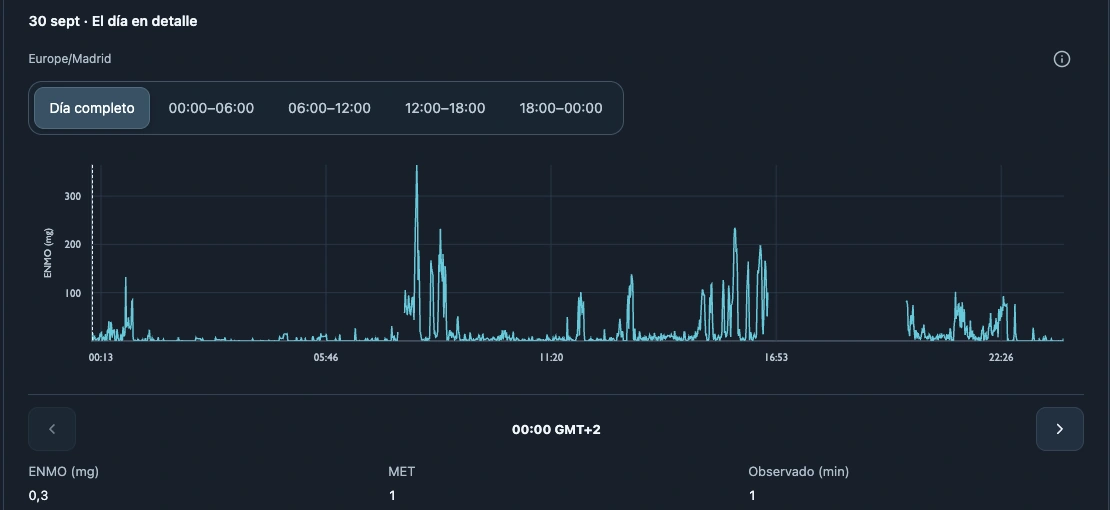
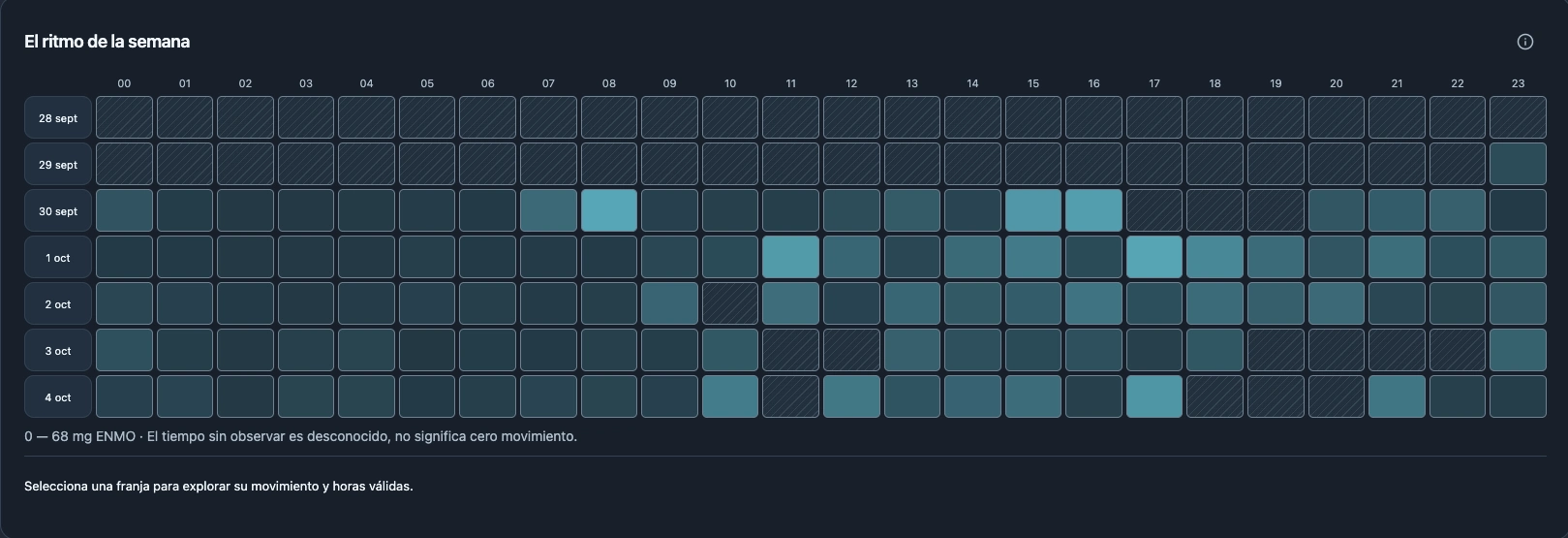
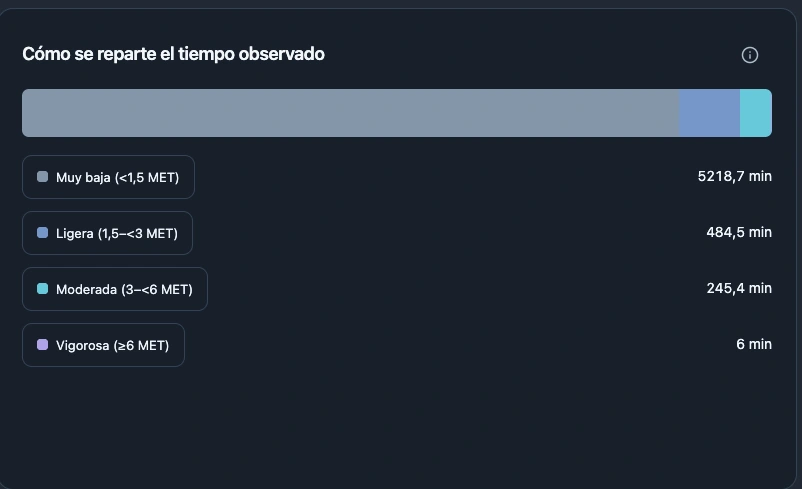
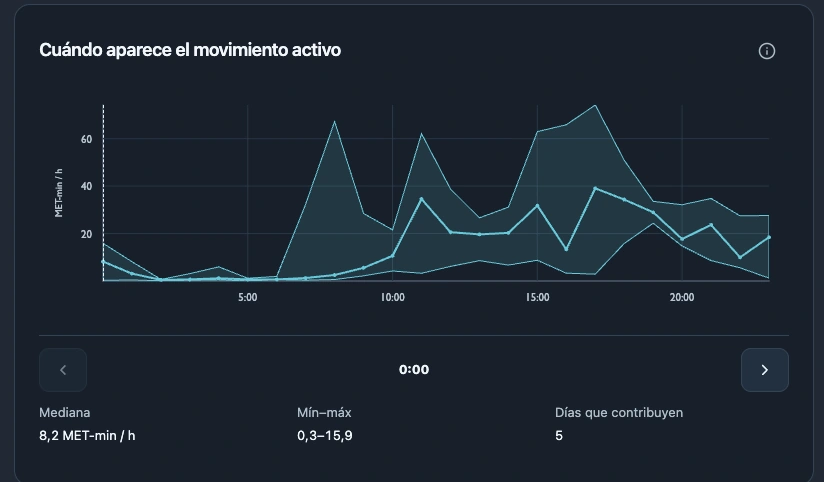
Wrist movement is recorded; activity intensity is estimated.
Compare daily totals, then explore the hours when movement happened.
Review progress against a movement plan with the patient or athlete.
METs (metabolic equivalents) express estimated intensity relative to a resting reference of 1 MET. Multiply intensity by time: 30 minutes at 4 METs equals 2 MET·h of gross volume. Move the sliders to see why duration and intensity both matter.
Try an activity example
Height is intensity. Width is time. The area is activity volume.
Illustrative calculation. Different intensities and durations can add up to the same volume.
Illustrative arithmetic, not an exercise prescription. Current SciencePeaks plans use minutes.
What is available today?Ask about your records in plain language and follow the values, dates and calculations that support the answer.
Ask, “What changed in my recovery data?” The AI assistant turns metrics and changes into plain language, with the values, dates and supporting evidence behind its answer.
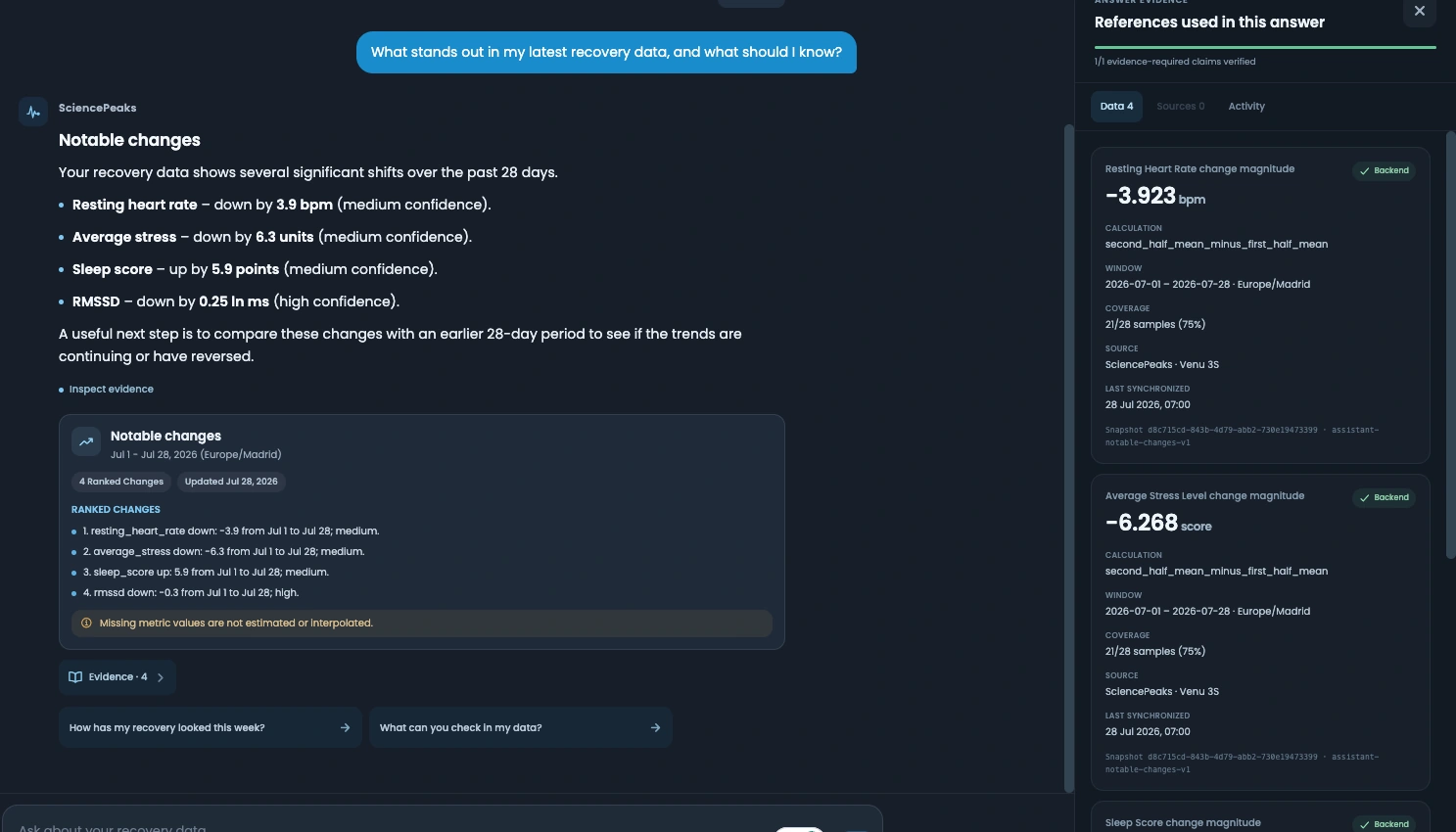
Training response · For coaches and performance teams
Explore how training load relates to later heart-rate variability, then compare possible training weeks for the same athlete. The DLNM workspace keeps the timing, data and model assumptions in view.
Training load and HRV can relate across several days. This map shows how the fitted relationship changes with the amount of training and the time that follows it.
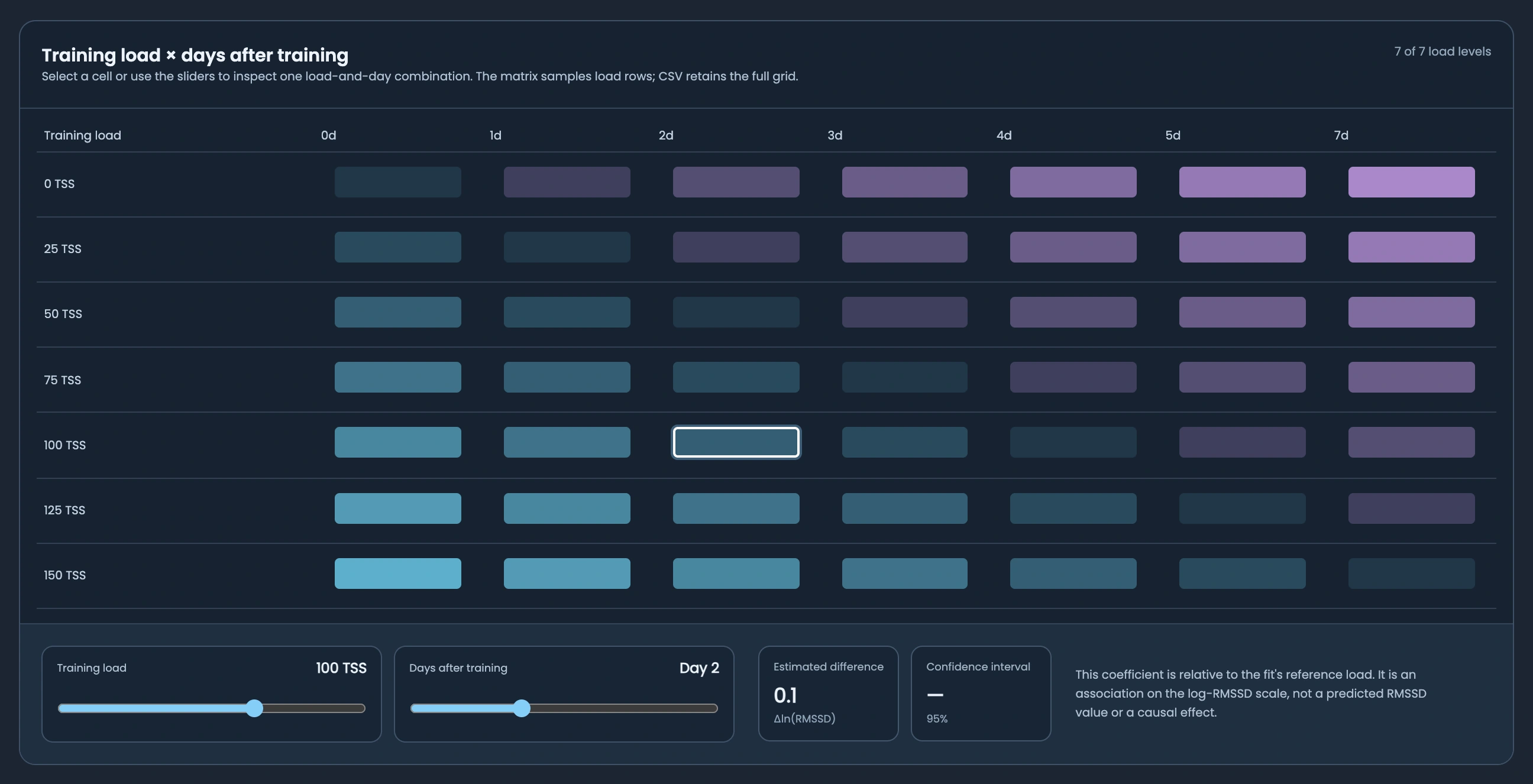
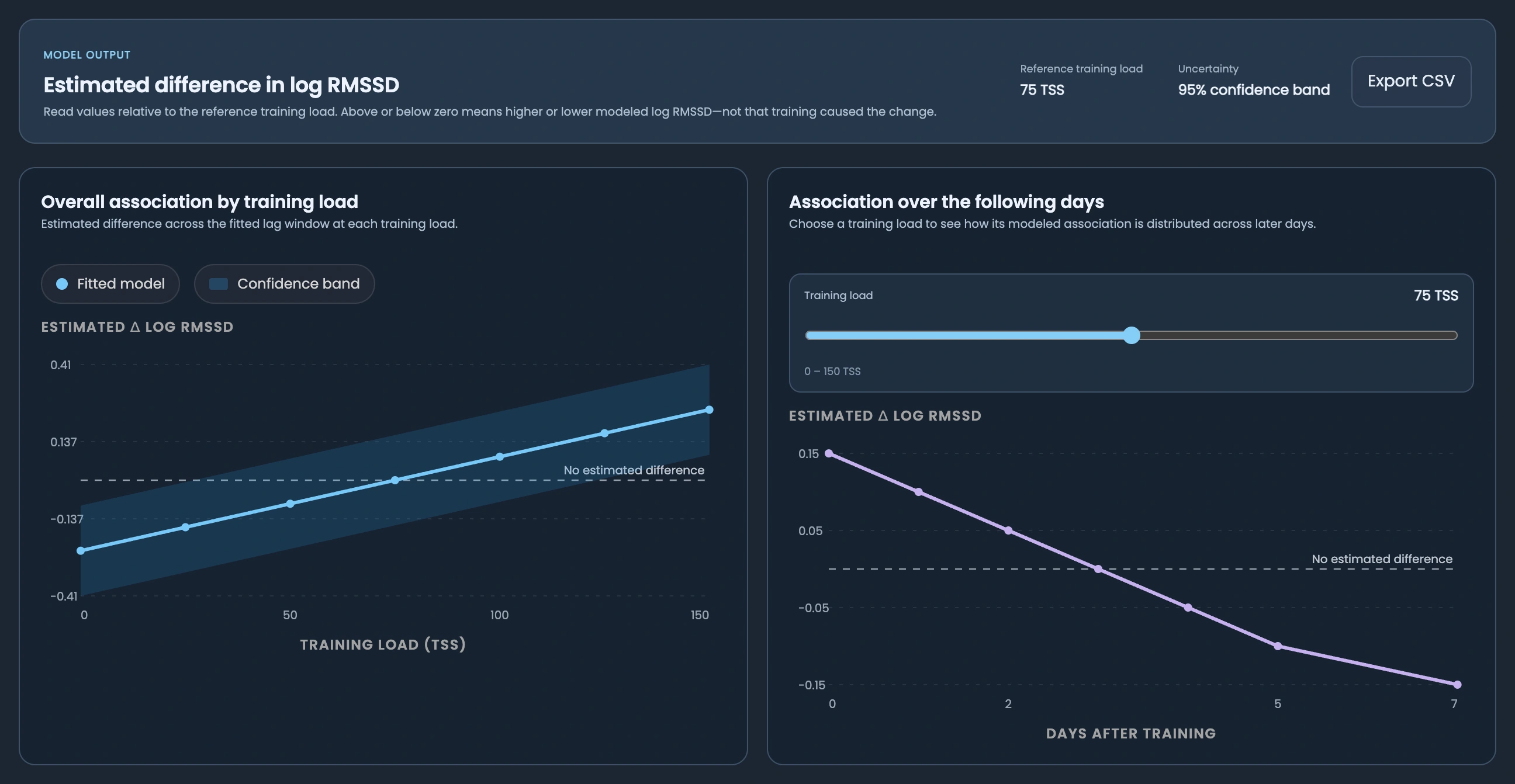
Two views make the same model easier to understand: how different training loads compare overall, and how the association is distributed across the following days for a selected load.
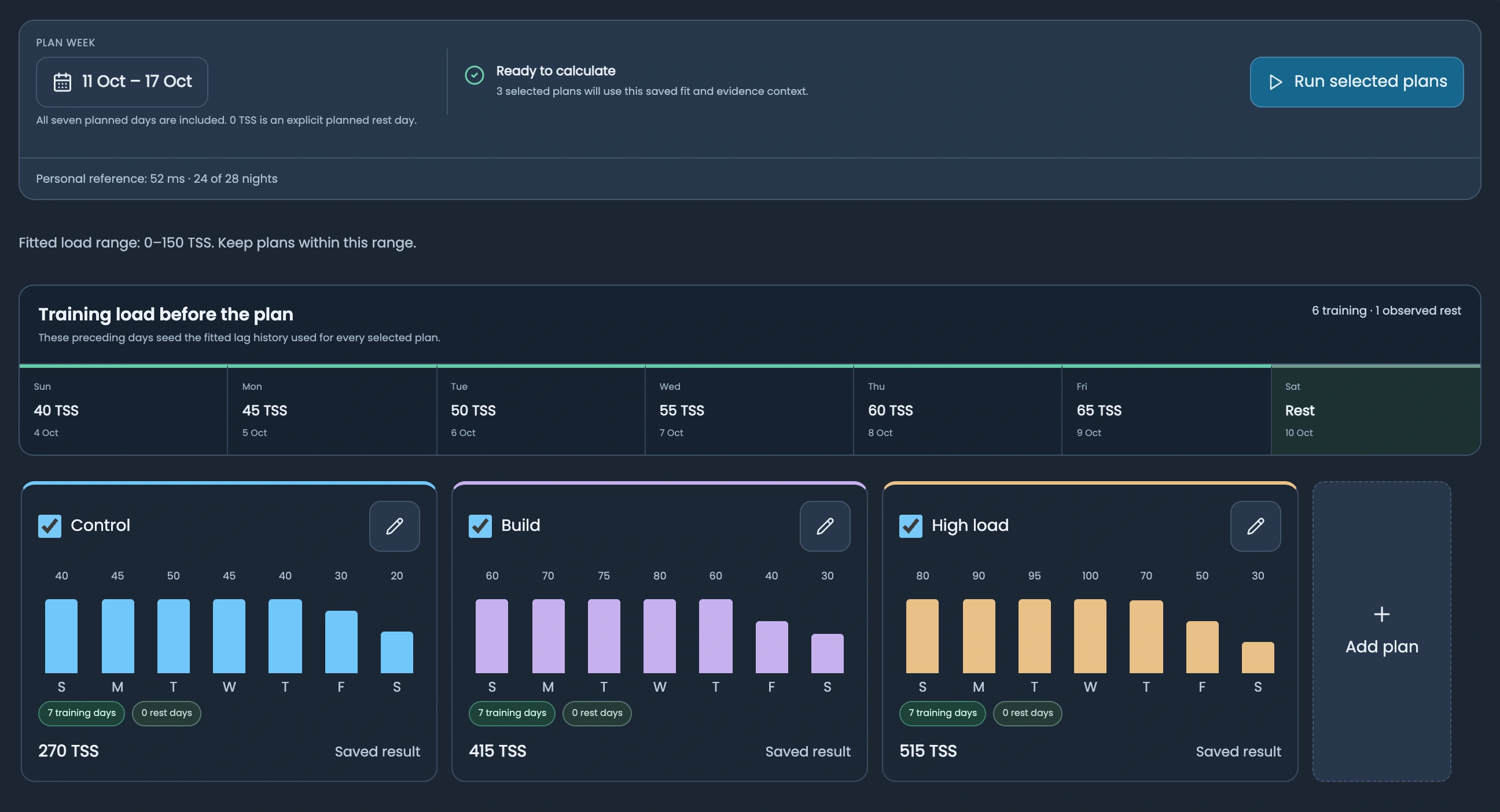
A coach can lay out alternative seven-day training plans and compare them using the same saved model and recent training history. Change the proposed load while keeping the comparison grounded in the athlete’s records.
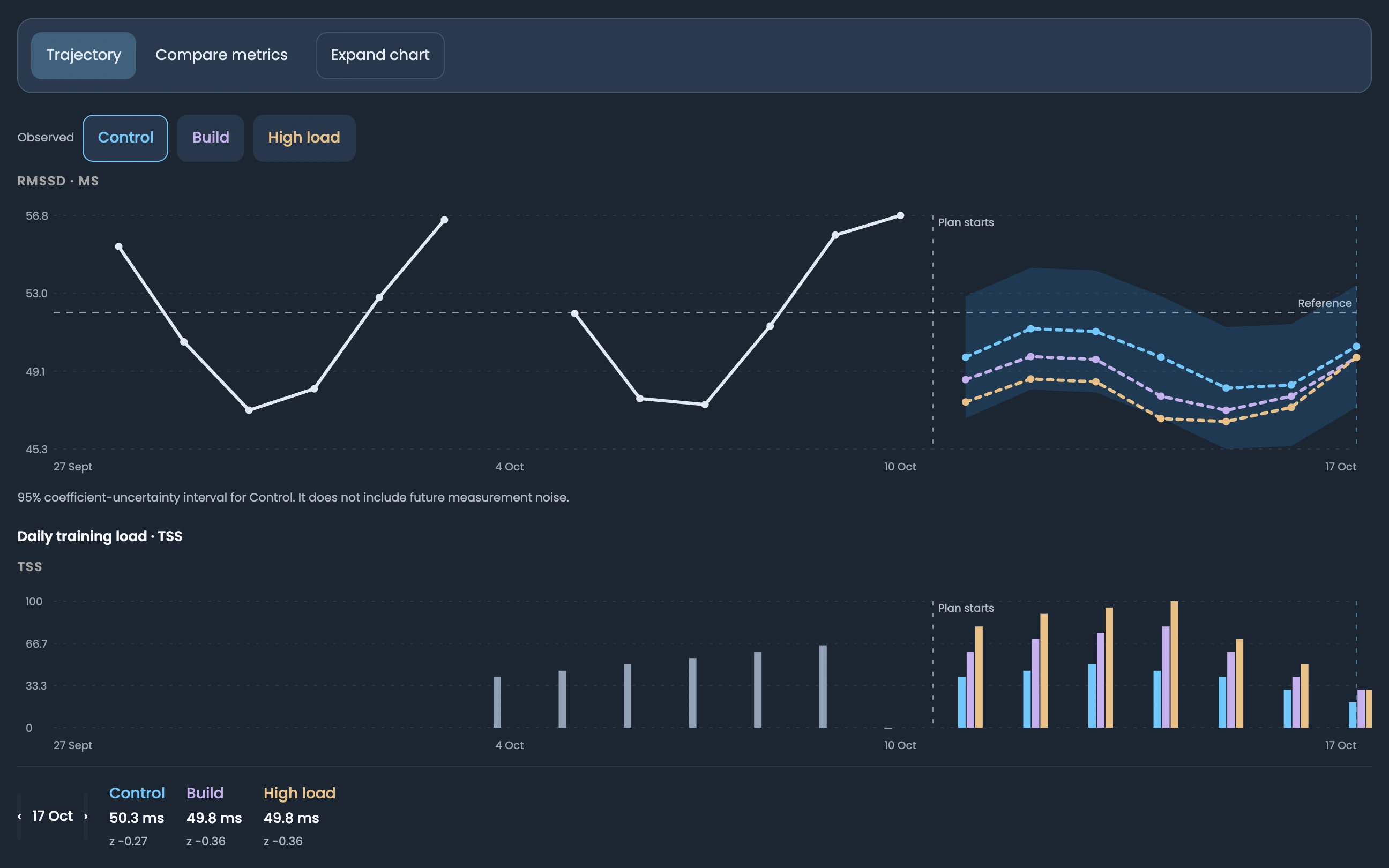
See the modelled RMSSD trajectory for each proposed week alongside the athlete’s observed HRV. The load bars share the same dates, so the proposed training and the conditional outlook can be read together.
Before interpreting a pattern, inspect the records used to fit it. The calendar pairs nightly HRV with daily training load and lets a professional review the evidence for an individual day.
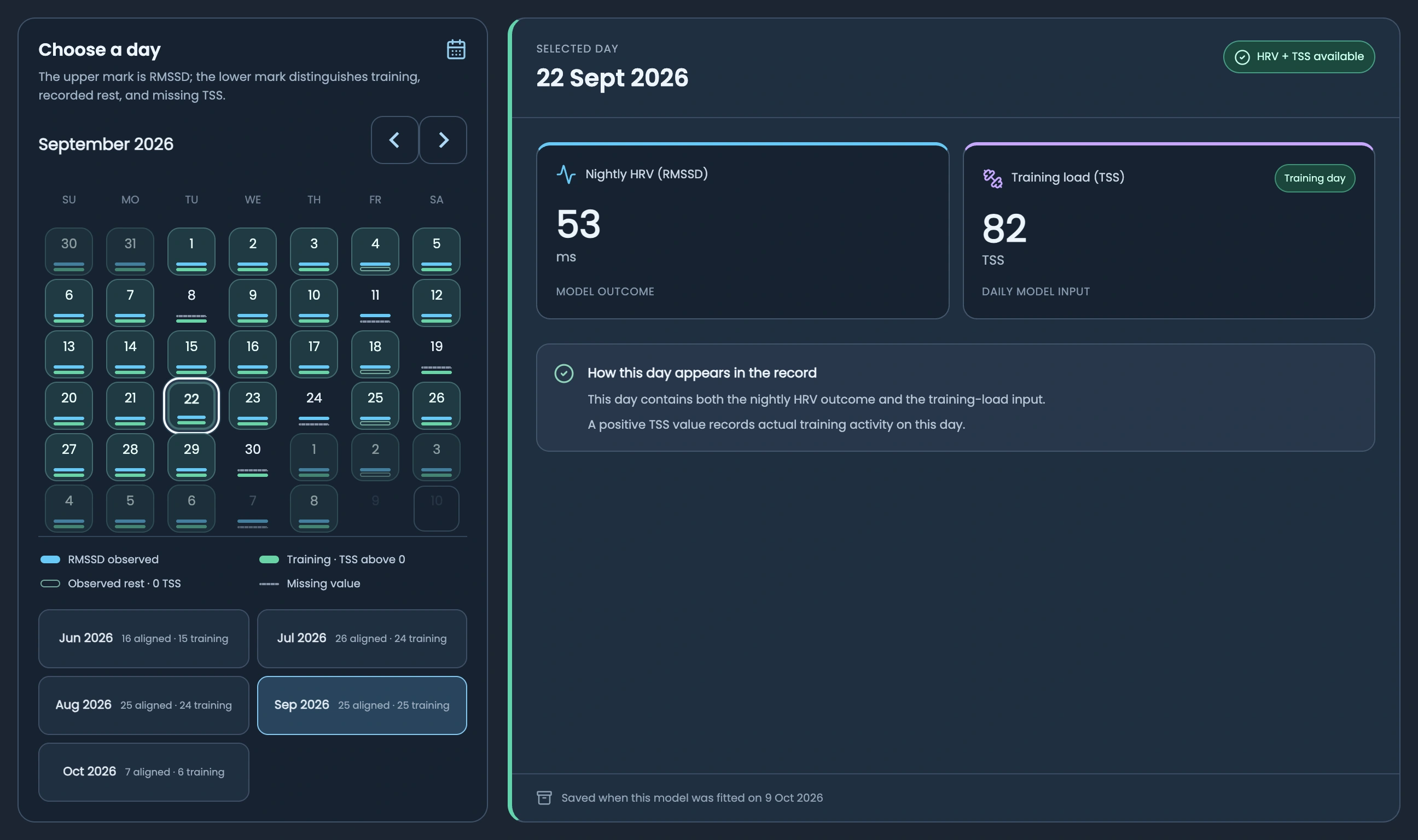
Actual product views with demonstration data. Associations and scenarios support professional review; they do not establish cause.
A distributed lag non-linear model is a statistical model that describes a relationship across both exposure levels and time delays. Here, the exposure is training load and the outcome is log RMSSD. It can represent different patterns at different loads and across subsequent days, rather than assuming one straight-line relationship or an immediate response.
Read the statistical methodScientific roots. A practical purpose.
SciencePeaks originated within ISGlobal, bringing scientific methods and software development into a shared platform for health and sport.
The institution strip reflects ISGlobal’s ecosystem: Hospital Clínic, la Caixa Foundation and Barcelona City Council are part of its institutional network; CERCA identifies its research-centre membership, and Severo Ochoa its institute recognition. These affiliations describe ISGlobal’s scientific context.
Explore ISGlobal’s institutionsLong-term observational research relates sustained activity patterns to chronic disease risk.
Read the independent studyWearable-based observational research examines intensity-specific associations with health outcomes.
Read the independent study Publisher correctionIndependent research supports the rationale for following activity. These studies did not evaluate SciencePeaks.
The people connecting science, clinical experience and technology for better follow-up in health and sport.
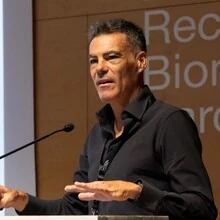
Co-founder
Scientific direction & project lead
Research Professor at ISGlobal. Health Analytics Hub coordinator. 220+ peer-reviewed publications.
Juan Ramón leads the SciencePeaks project and its scientific direction. He heads ISGlobal’s Bioinformatics in Genetic Epidemiology group and is an Adjunct Professor at the Autonomous University of Barcelona. His research brings statistical modelling and bioinformatics into cancer research, precision medicine and sport. He is an author of Omic Association Studies with R and Bioconductor and contributes to tools including SNPassoc and DataSHIELD for reproducible biomedical analysis. This expertise guides SciencePeaks’ analytical methods and the interpretation of activity and physiological records.
ISGlobal profile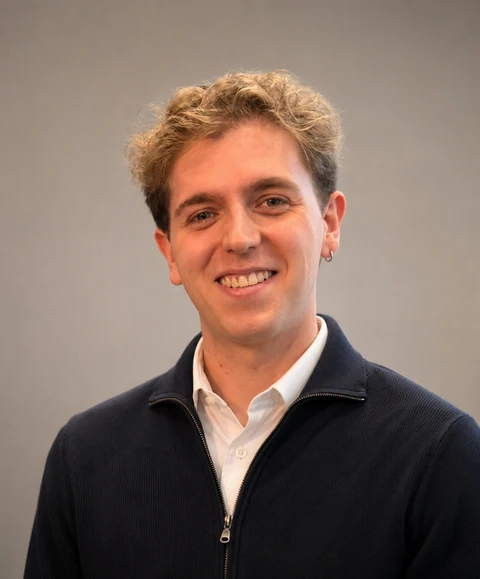
Co-founder
Technology & product
Computer engineer and data scientist. Building the SciencePeaks platform.
Dídac leads technology and product, bringing engineering and data science together across the platform, wearable integrations and the user experience. He turns the scientific vision into software for participants and the professionals following them.
Professional profile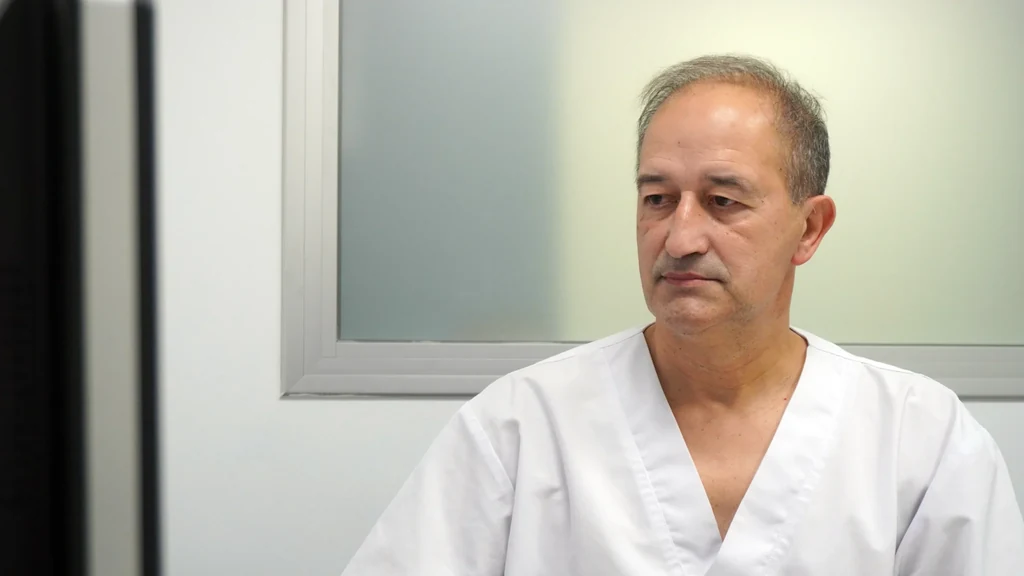
Activity & exercise medicine
Clinical advisor
Sports medicine specialist at Xarxa Santa Tecla. Exercise prescription expertise.
Manel provides medical advice on SciencePeaks’ activity and METs work. He heads the Sports Medicine Unit at Xarxa Santa Tecla and is a co-author and coordinator of the Generalitat’s guide to prescribing physical exercise for health.
Meet Manel at COMTPortrait source: Col·legi Oficial de Metges de Tarragona (COMT).
Research into practice
Innovation management
Innovation management expertise, connecting research with its practical applications.
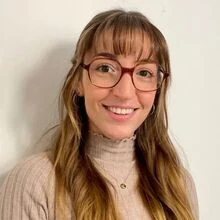
Clara contributes innovation management expertise to SciencePeaks, helping connect the scientific project with opportunities for development and collaboration. Her perspective supports the path from research to practical use.
LinkedIn profile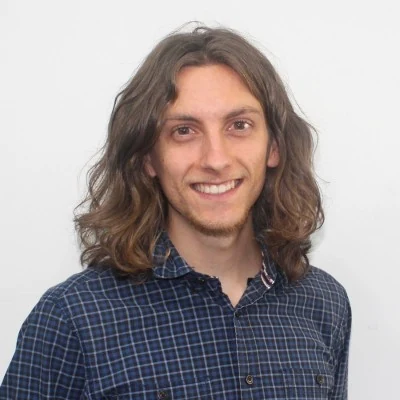
Analysis & interpretation
Data science
Data science expertise for understanding patterns in health and activity data.
Víctor contributes data science expertise to the team. His focus on data analysis brings an analytical perspective to SciencePeaks’ research and product work, alongside its scientific and engineering direction.
LinkedIn profileThe wearable, the methods and the practical details of getting started.
SciencePeaks uses data science, machine learning and AI to connect wearable activity estimates, overnight physiological trends, symptoms and personal context. Patients and athletes use the app; clinicians and coaches follow individuals or groups in shared projects. Web, iOS and Android clients support this workflow.
The connection across days and across perspectives: wearable activity, available overnight profiles, how the person feels, and treatment or training context. Professionals can follow a group in projects, review individual histories and explore analytical tools.
SciencePeaks has Garmin-approved access to the Garmin Health SDK following review of its iOS and Android apps. The current recording workflow uses compatible Garmin devices. Movement data inform estimated physical activity; available overnight heartbeat intervals inform HRV analysis. We can confirm the right device and recording setup in your product walkthrough.
The wearable observes movement and available heartbeat intervals. SciencePeaks derives physiological metrics and estimates activity intensity and volume. Symptoms add the person’s experience. Recording hours indicate what was observed; missing time is not treated as inactivity. These signals support interpretation rather than a stand-alone fatigue diagnosis.
Yes. A project is a shared workspace where a clinician or coach follows patients in a care programme or athletes in a team. Supervisors can review cohort progress, individual Trends, reported fatigue and health context, compare participants, manage activity plans and run available models on eligible histories.
Data science organizes wearable records and compares them with personal history. An experimental machine-learning model estimates whether the next usable HRV reading may fall in the person’s own lower range. Separately, distributed lag non-linear models (DLNM) explore Training Stress Score (TSS) and later RMSSD, an HRV measure of beat-to-beat variation. The AI assistant explains available records in natural language with supporting evidence. Symptoms and treatment dates provide professional context; they are not inputs to the current HRV classifier.
Yes. SciencePeaks has Web, iOS and Android clients. The mobile app brings daily metrics, trends, symptom check-ins and treatment context into your day; the web workspace gives professionals room to review participants and their histories. Contact us to discuss access for your programme or team.
Current professional activity plans use minutes. MET·h describes intensity multiplied by time and is useful for explaining volume. Prescribing in MET·h and integration with electronic health records are future directions.
Explore the product, the science and the opportunity to bring better follow-up to care programmes and professional teams. Talk to us about a demo, a research collaboration or investment.